|
Help Center
|
Help Center
|
Help Center
|
Help Center
 How To Find the Package's Validity?Where Can I Find the Expiry Date of the Job Post?
1. Access your dashboard by logging into your Lawpic employer account using your credentials.
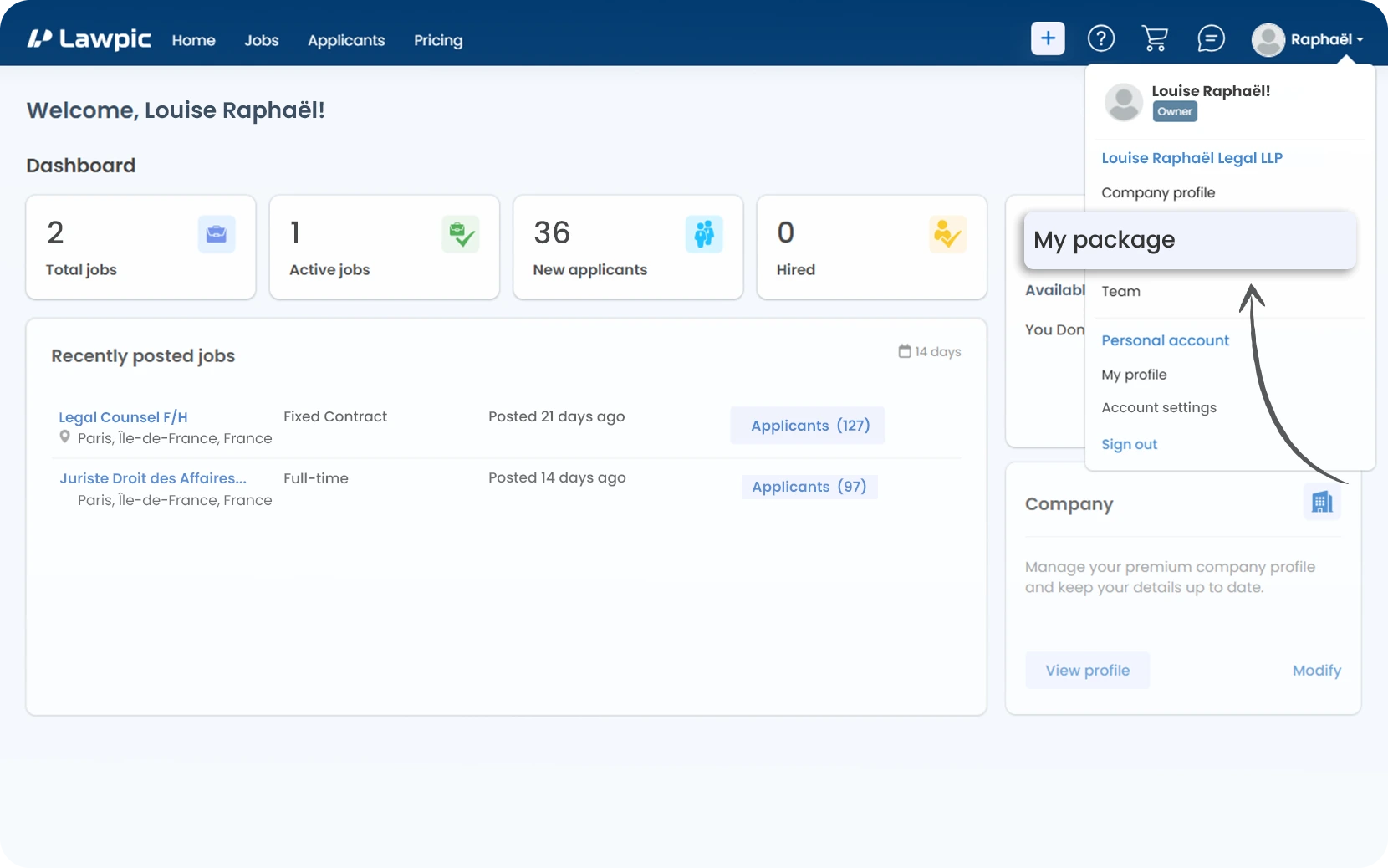
2. Click on the "My package" option located within the profile menu in the top navigation bar.
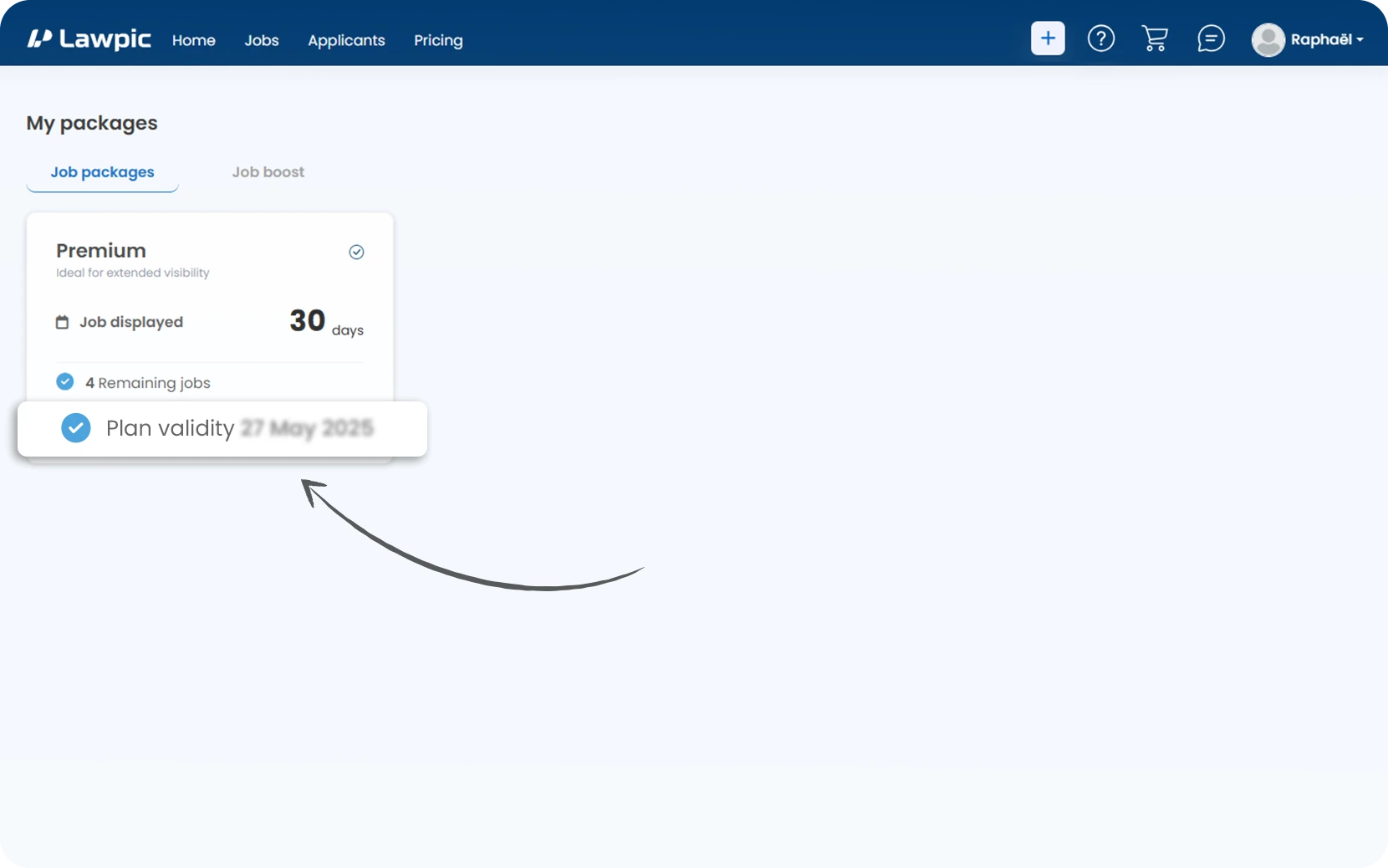
3. On the My packages page, locate your active packages (e.g., Enterprise, Standard).
4. Under each package card, find the plan validity field.
5. The date shown "(DD-MM_YYYY)" indicates the expiry date of that package.
1.Access your dashboard by logging into your Lawpic account.
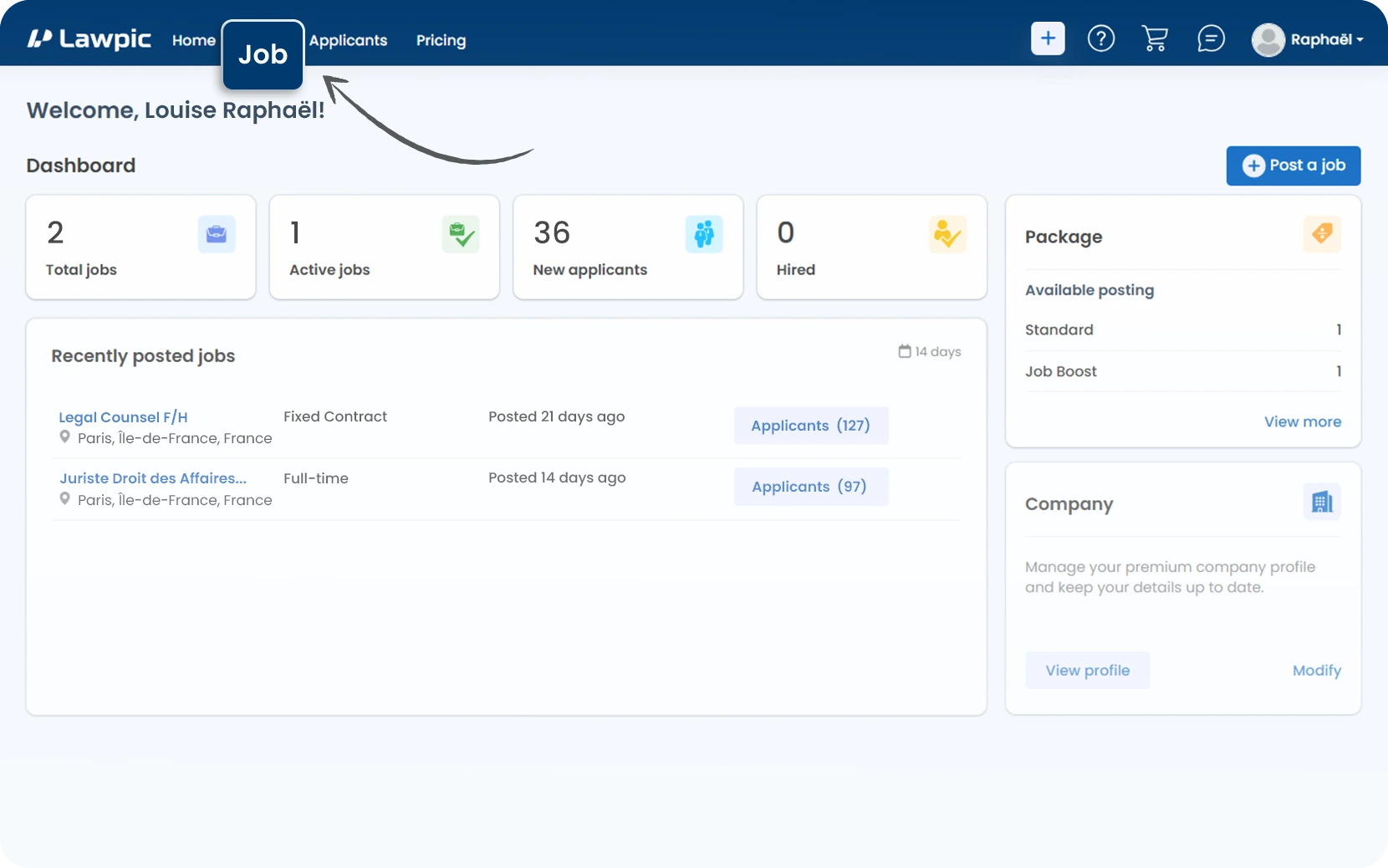
2. Click on the "Jobs" menu at the top of the dashboard.
3. On the Jobs page, find the list of posted jobs under the "Posted" tab.
4. Look at the "Expiry" column in the job table.
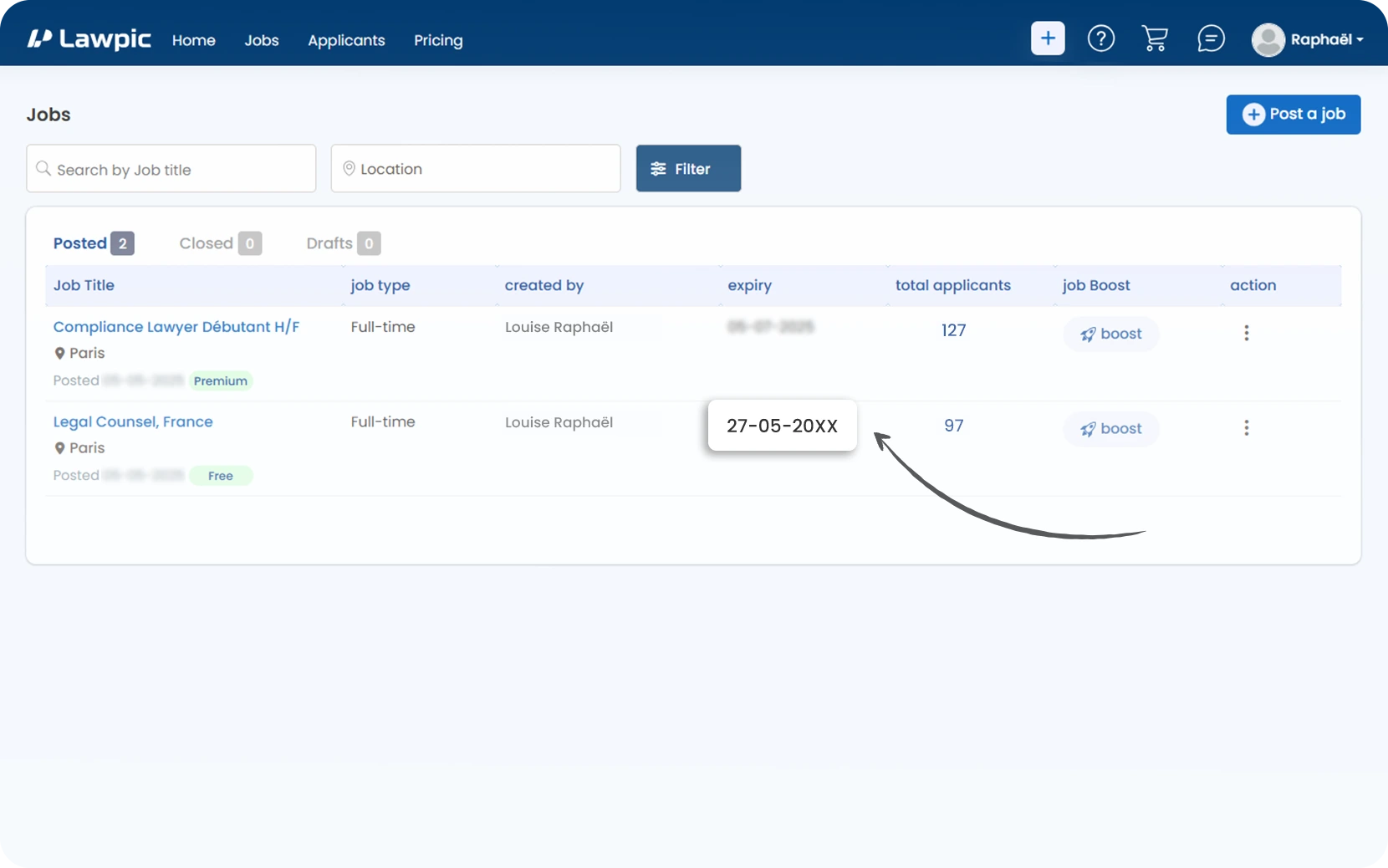
5. The expiry date for each job post "(DD-MM_YYYY)" is shown in this column.
6. This tells you the last date the job post will remain active.