|
Help Center
|
Help Center
|
Help Center
|
Help Center
 How To Change the Language?
How To Delete My Account?
How To Change the Language?
How To Delete My Account?1. Access your dashboard by logging into your Lawpic employer account using your credentials.
2. Click on the "Account Settings" option located within the profile menu in the top navigation bar.
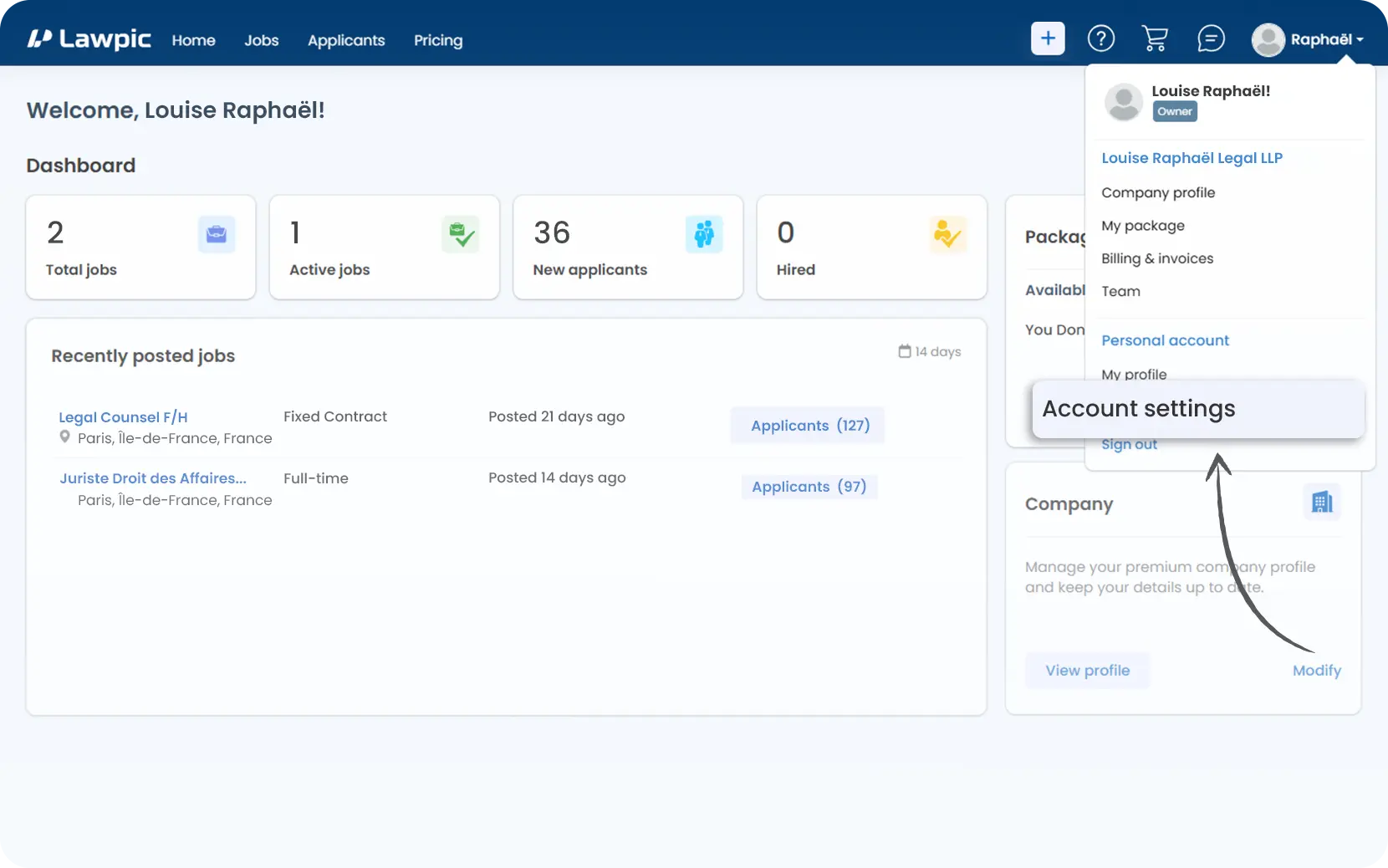
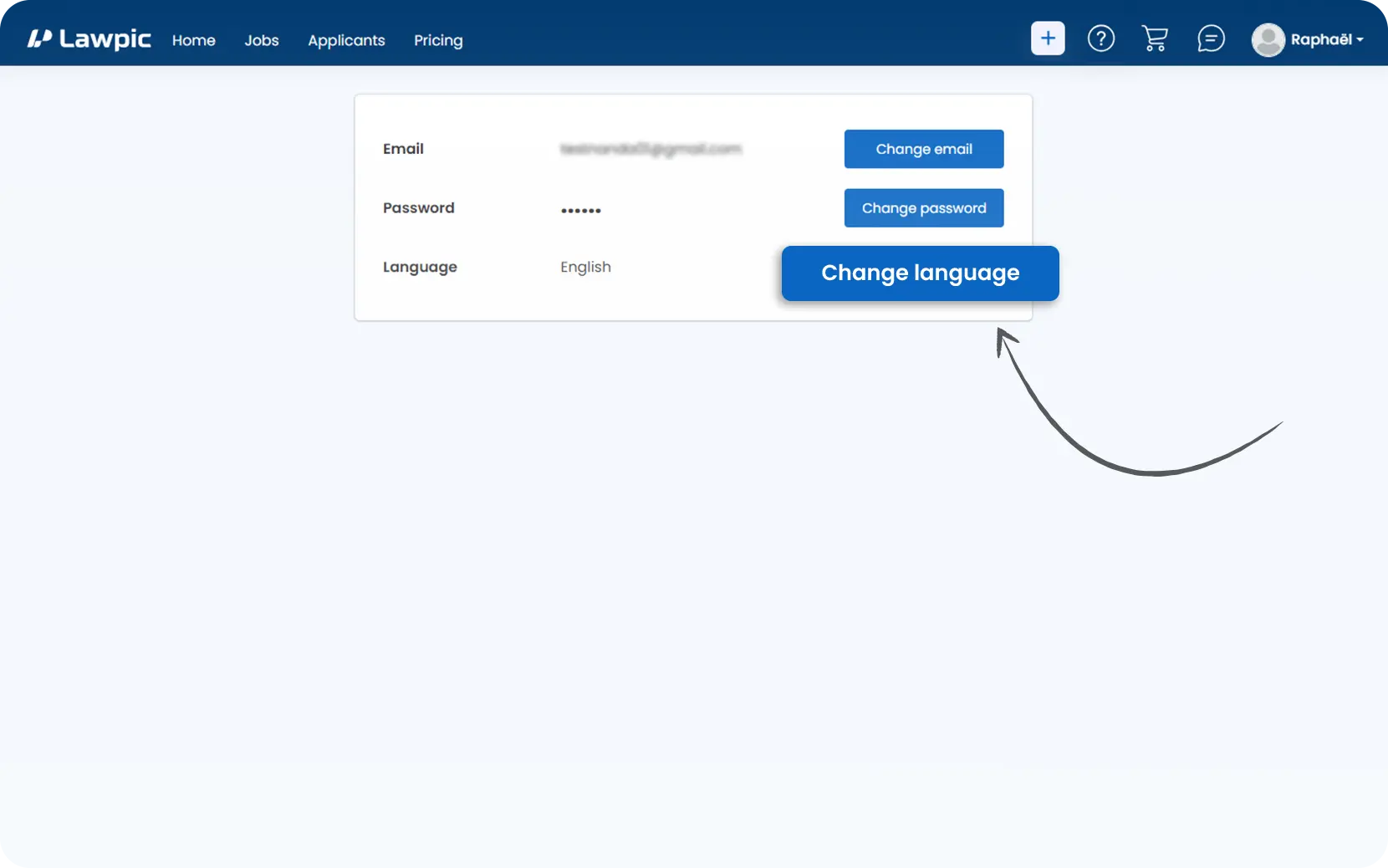
3. In the Language Settings section, you'll see an option to change your preferred platform language.
4. Click on the "Change Language" button to proceed with the update.
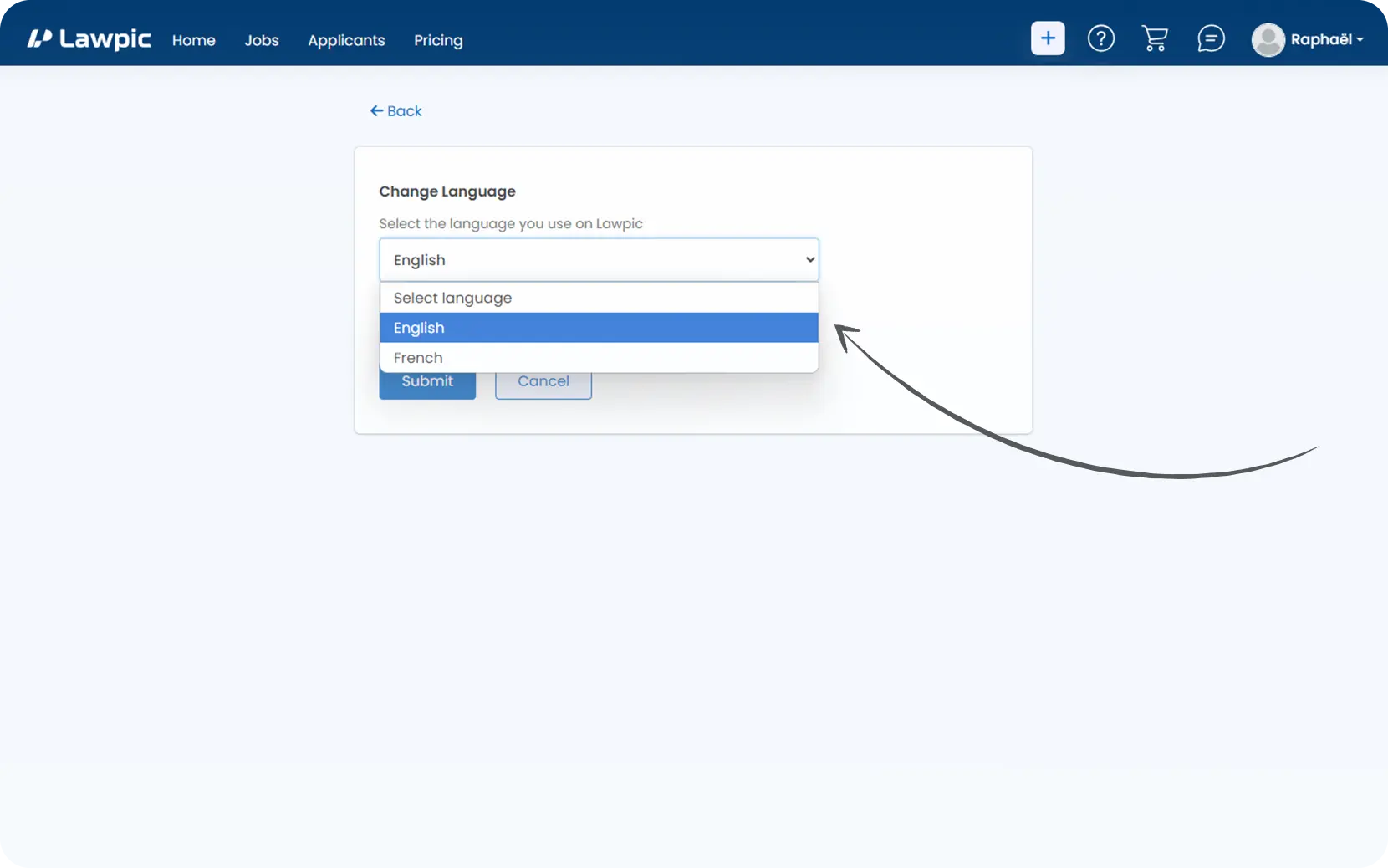
5. From the dropdown menu, select the language you would like to use across the platform.
6. Once selected, click "Submit" to apply the changes and update your account preferences.
1. Use the email address linked to your Lawpic employer account.
2. Send your request to support@lawpic.com
3. In the subject line, type: "Delete Account"
4. Include the following details in your email:
5. After verifying the information, send the email to our support team.
6. Our support team will verify your account ownership using the details you provided.
7. You will receive an email confirmation once the request is approved and the account is permanently deleted.