|
Help Center
|
Help Center
|
Help Center
|
Help Center
 Will I Get Notified If an Employer Contacts Me?
Can I Reply To Employer Messages?
Will I Get Notified If an Employer Contacts Me?
Can I Reply To Employer Messages?
1. Yes! When an employer sends you a message, you’ll receive an "Email Notification" instantly.
2. The email will include a "View Message" button.
3. Click "View Message" to be redirected to your Lawpic account.
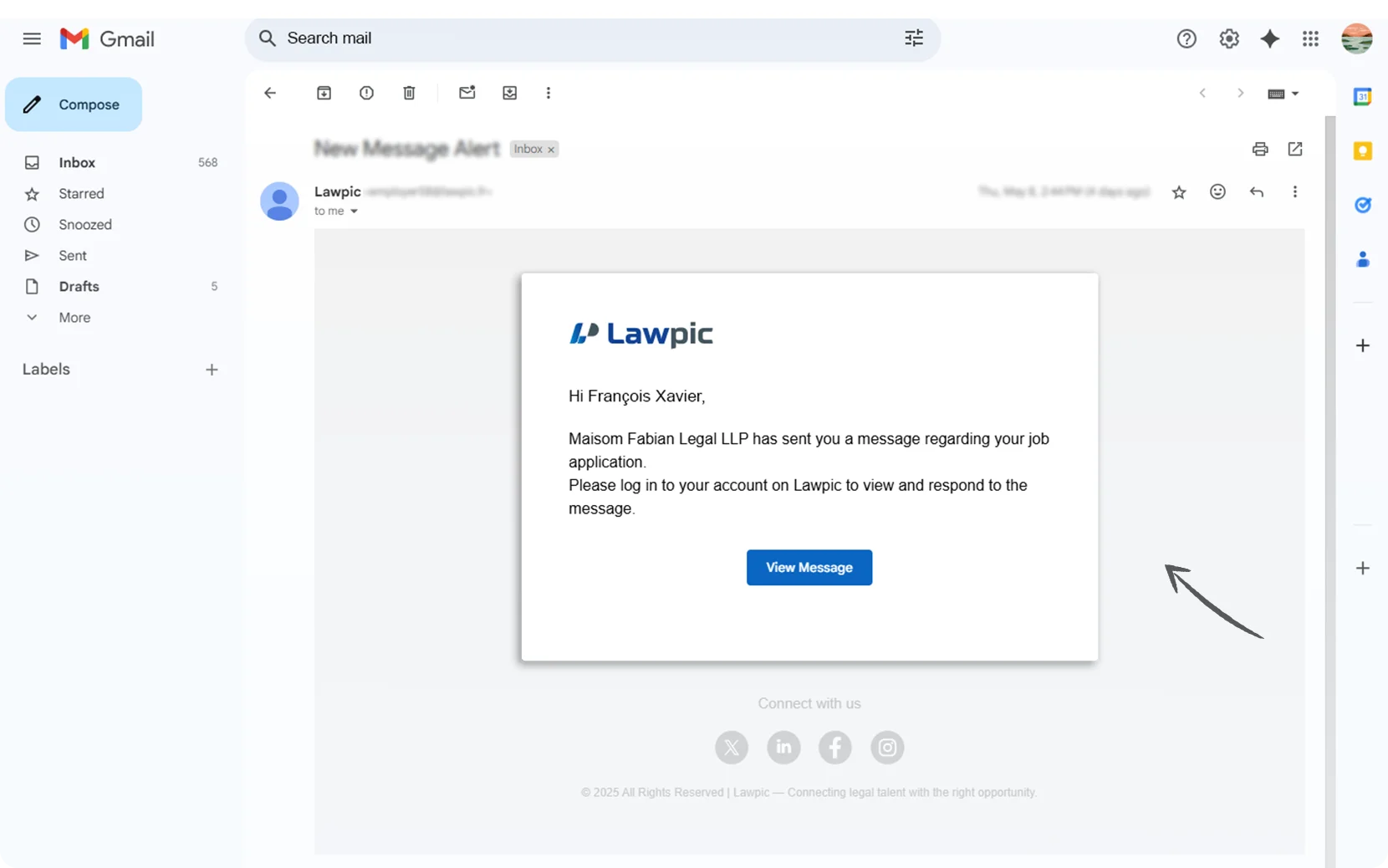
4. After logging in, you'll be taken directly to your "Message" section.
5. Here, you can read the employer's message and respond if needed.
1. Yes!, once an employer contacts you, you can reply directly through Lawpic’s secure messaging system.
2. Access your dashboard by logging into your Lawpic account.
3. Click on the "Message-Icon" located in the top-right corner of the navigation bar.
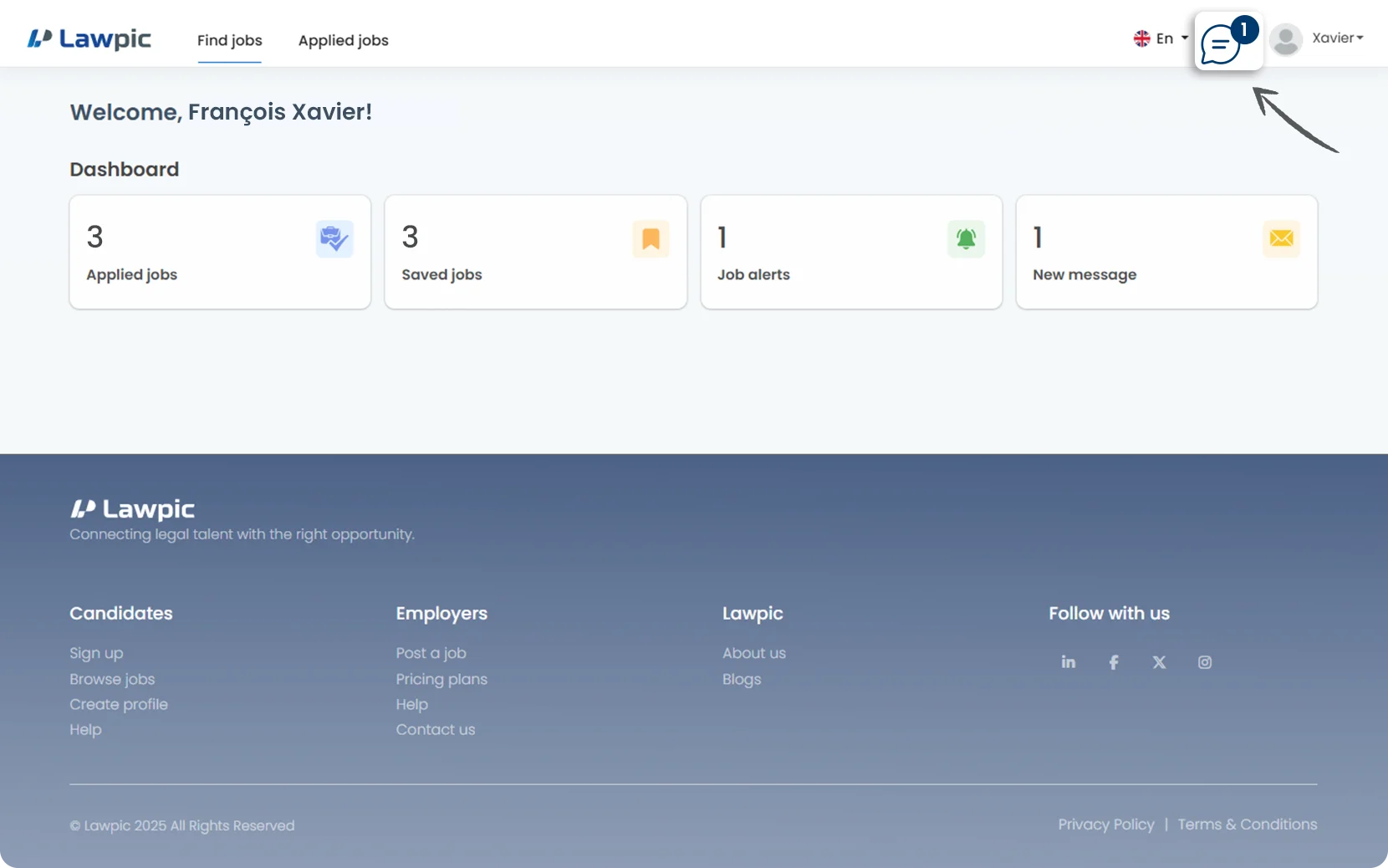
4. You’ll be redirected to the Messages page, where you can manage all employer conversations.
5. On the left side, you’ll see a list of messages from employers you've interacted with.
6. Click on a "Message" to open the full conversation thread.
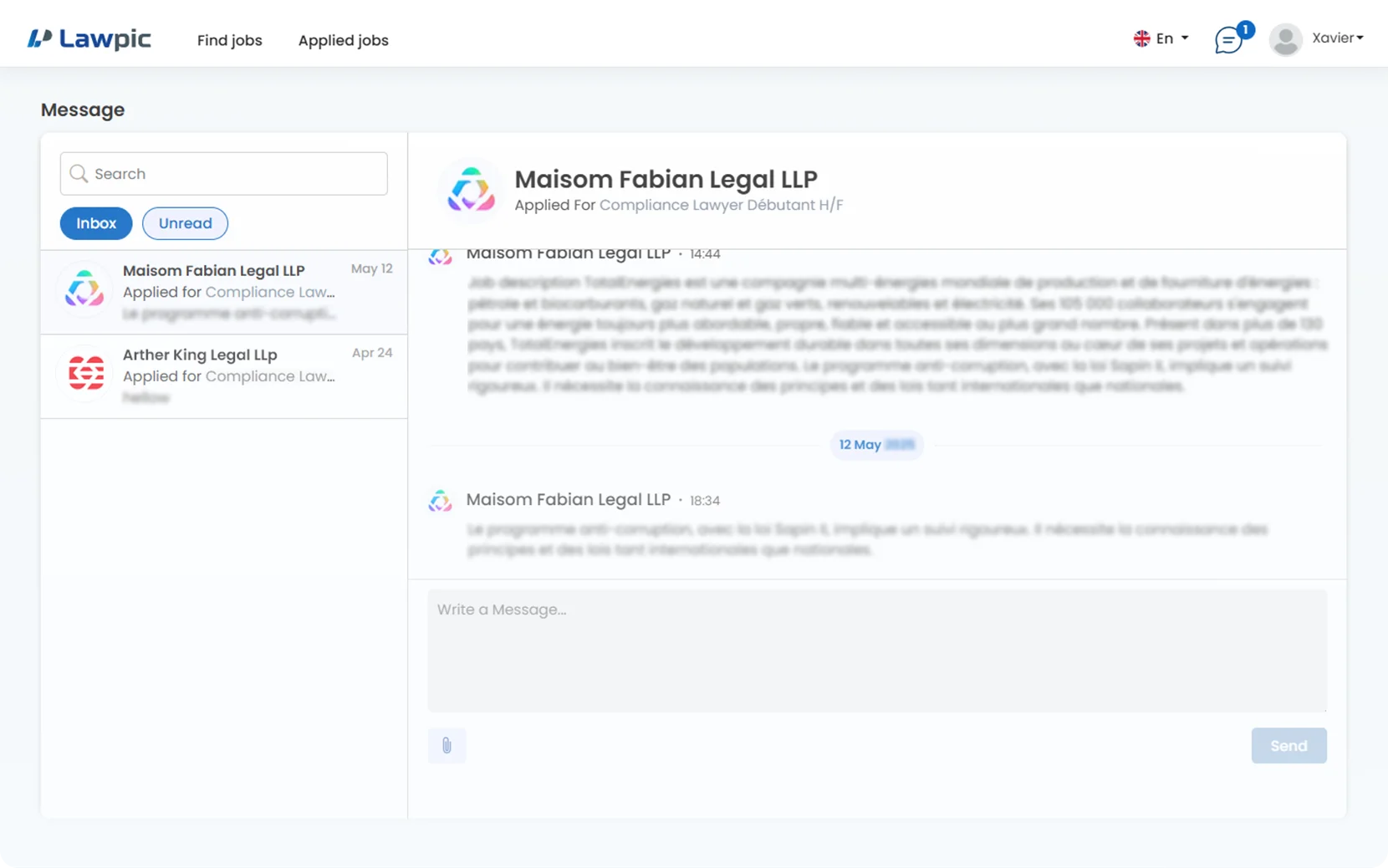
7. In the message view, you’ll see the employer’s name, message content, and the date/time it was sent.
8. Use the "Message Box" at the bottom to type and send your response.
9. You can also attach files such as resumes, portfolios, or certificates by using the attachment icon next to the reply box.
10. Once ready, click "Send" to deliver your message instantly.