|
Help Center
|
Help Center
|
Help Center
|
Help Center
 How Can I Save Jobs To View Later?
Where Can I Track My Job Applications?
How Can I Save Jobs To View Later?
Where Can I Track My Job Applications?1. Access your dashboard by logging into your Lawpic candidate account using your credentials.
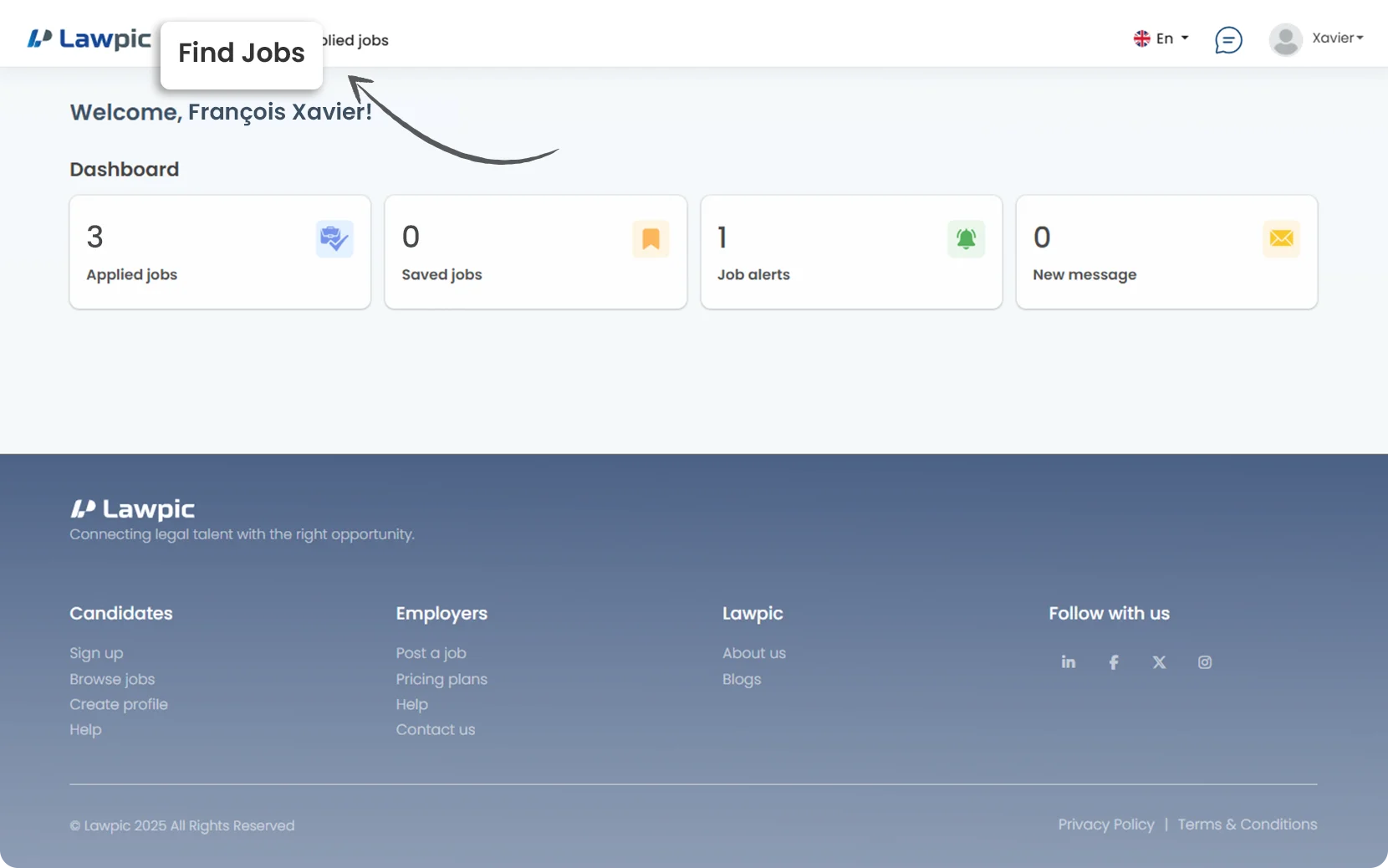
2. Click on the "Find Jobs" menu at the top of the dashboard.
3. Browse the list of available jobs displayed.
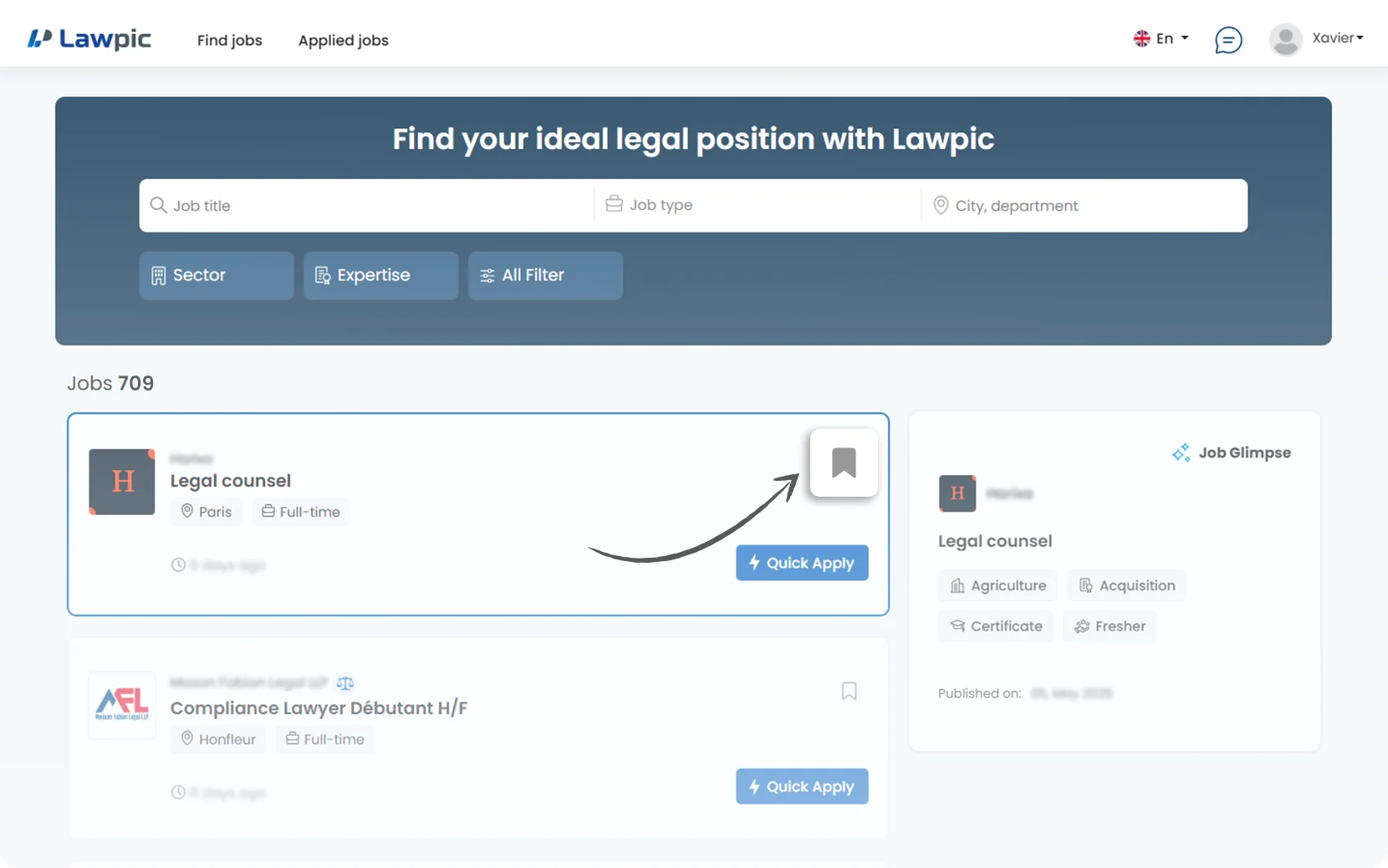
4. On each job listing, locate the "Bookmark-Icon" in the top-right corner.
5. Click the "Bookmark-Icon" to save a job you’re interested in.
6. Once saved, your bookmarked jobs are easy to revisit anytime perfect for comparing roles or applying later.
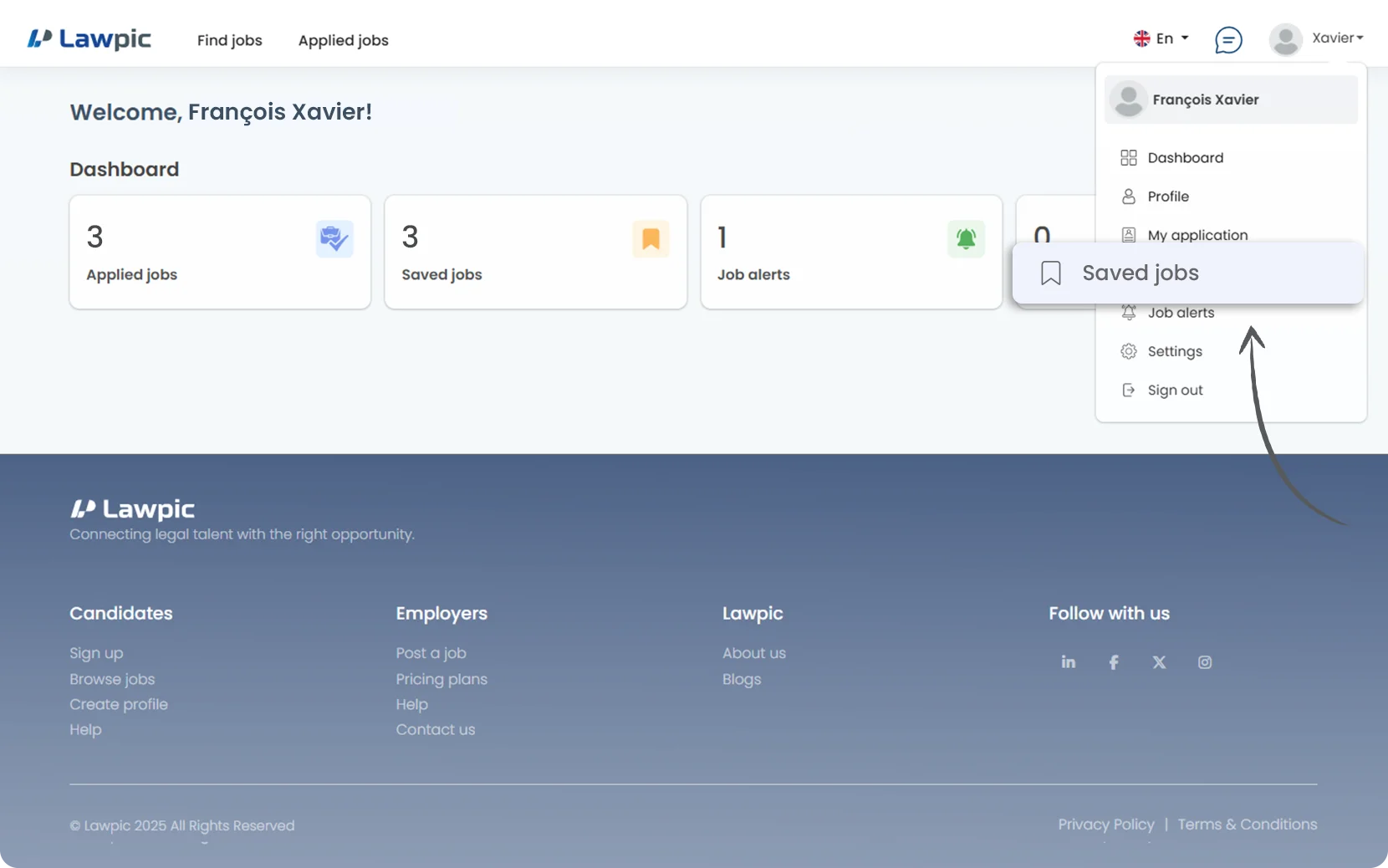
7. If you want to view your saved jobs, click on the “Saved Jobs” option in the profile menu top navigation bar.
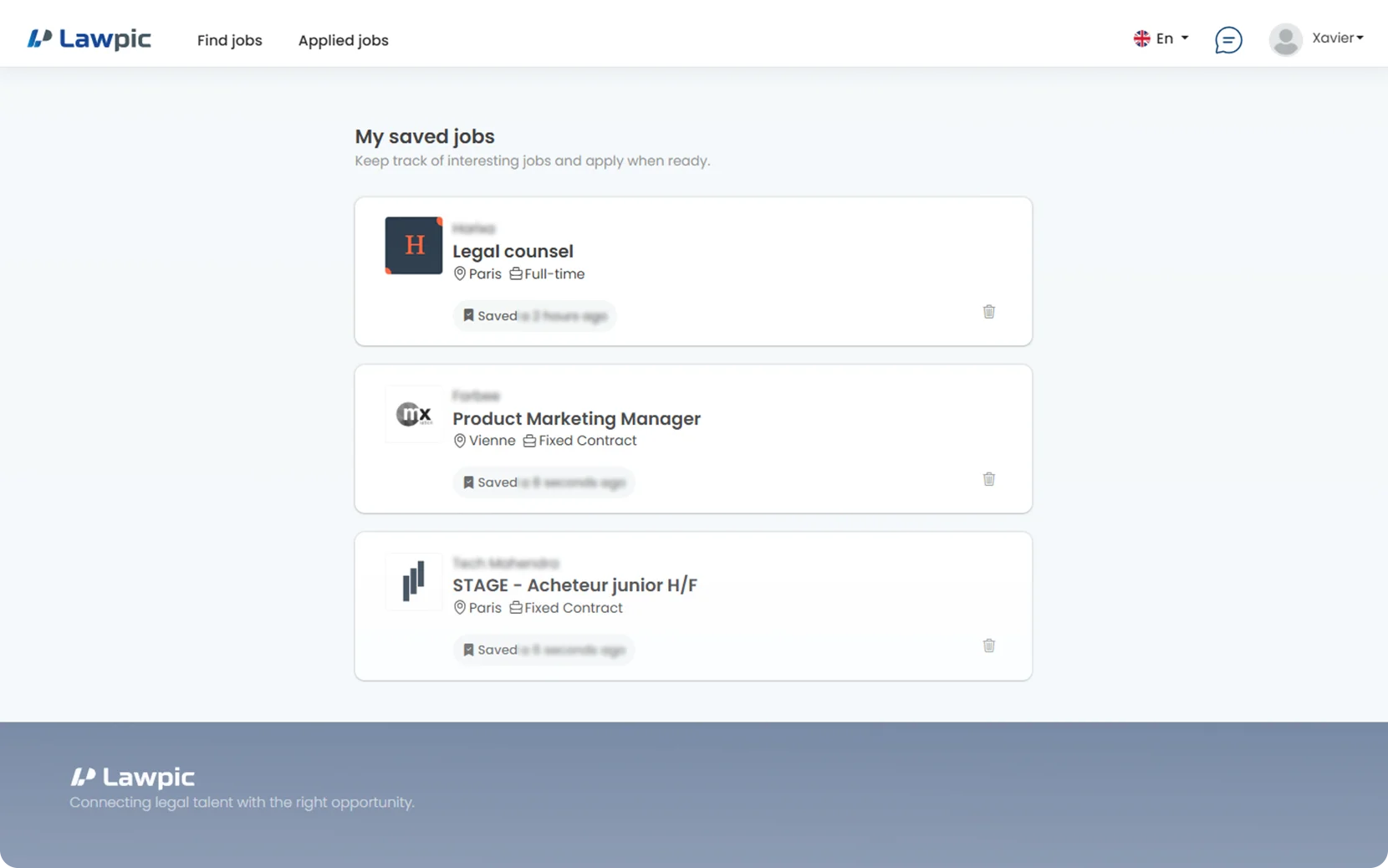
8. On the Saved Jobs page, you’ll see a list of all the jobs you’ve bookmarked.
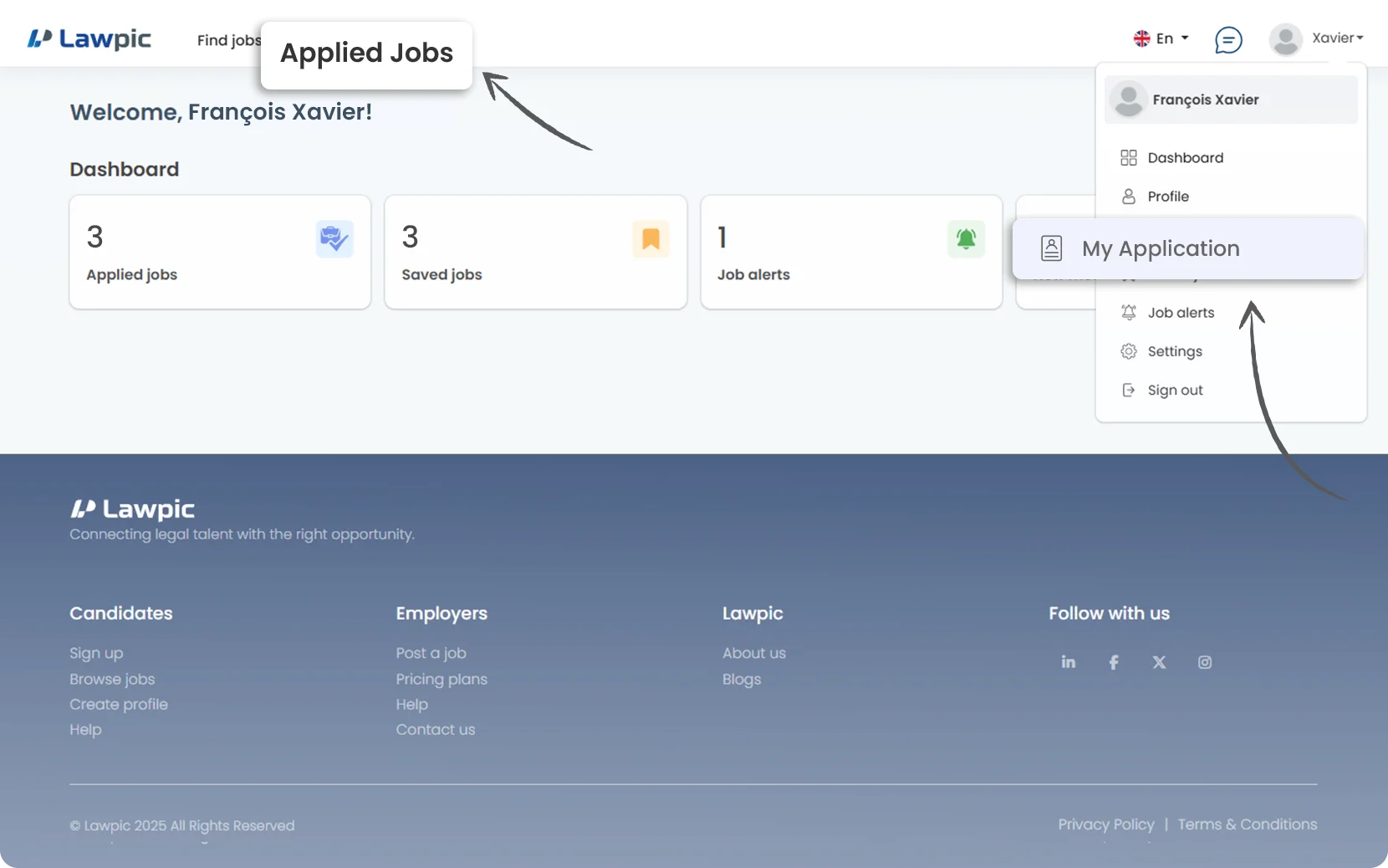
1. Access your dashboard by logging into your Lawpic account.
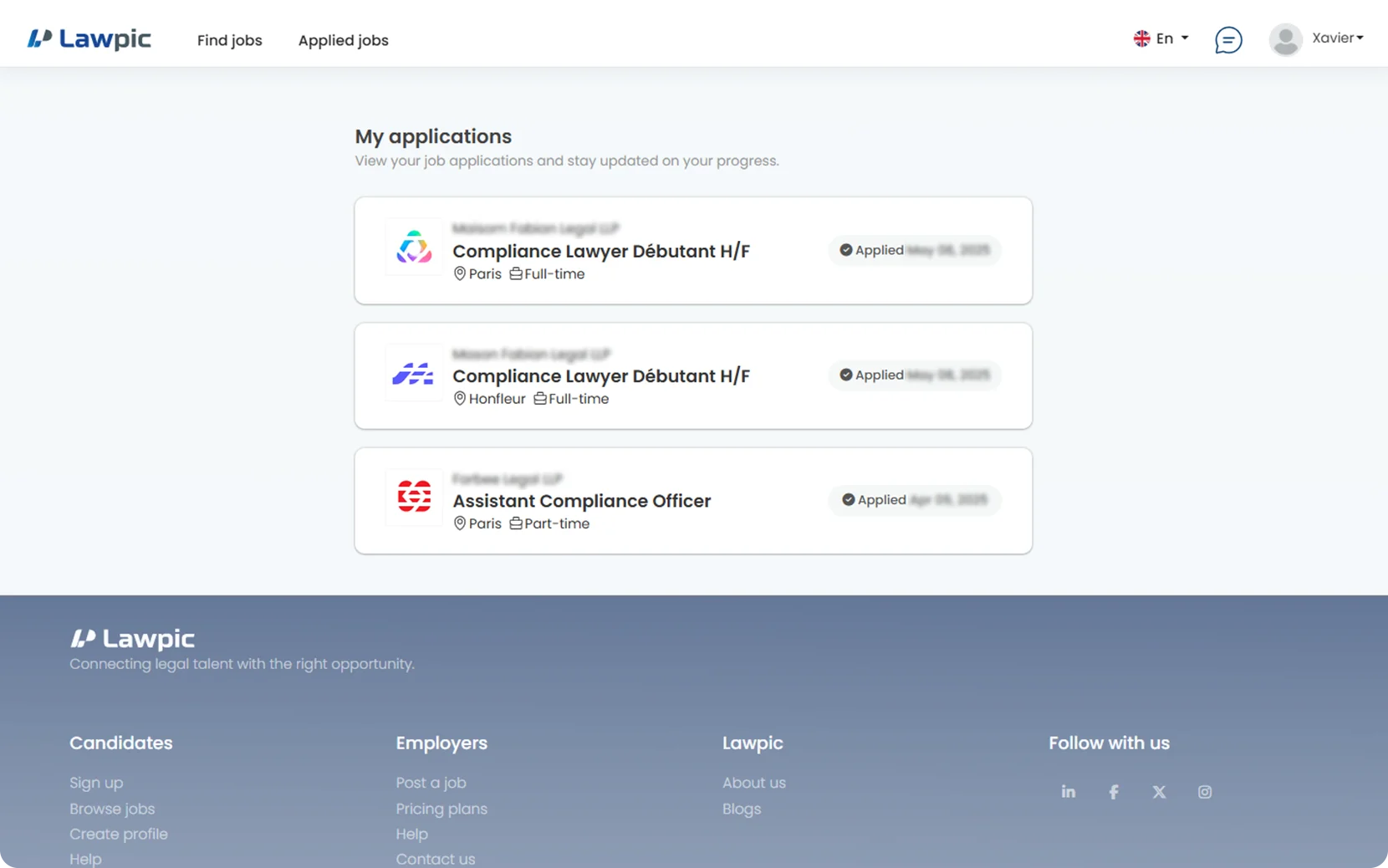
2. After you’ve applied for jobs, you can view your applications in Two ways: