|
Help Center
|
Help Center
|
Help Center
|
Help Center
 How Do I Access and Edit My Candidate Profile?
What is Profile Strength and Why Does it Matter?
Who Can See My Profile?
How Do I Access and Edit My Candidate Profile?
What is Profile Strength and Why Does it Matter?
Who Can See My Profile?
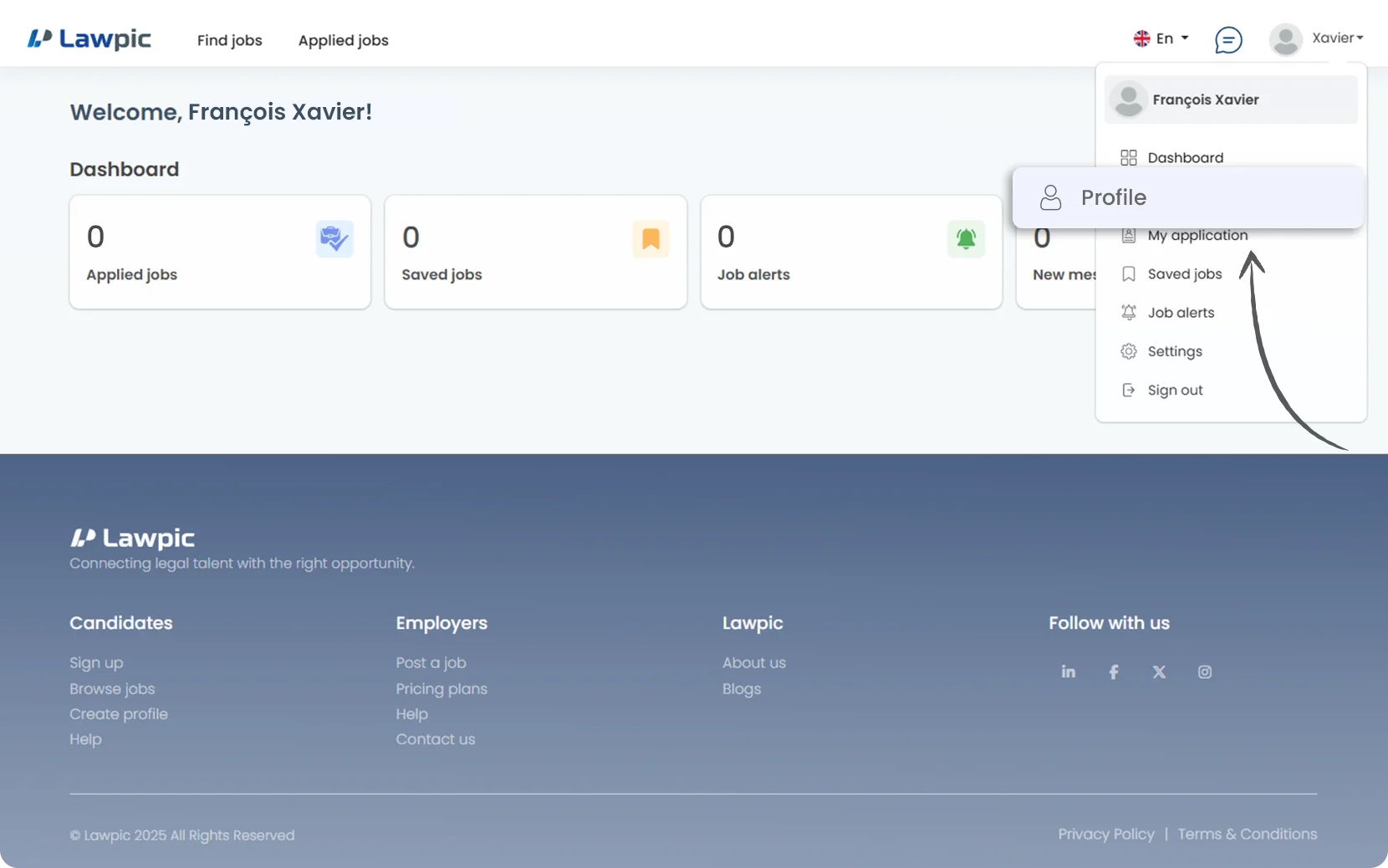
1. Access your dashboard by logging into your Lawpic candidate account using your credentials.
2. Click on the "Profile" option located within the profile menu in the top navigation bar.
3. On the profile page, you can Add or Update the following sections:
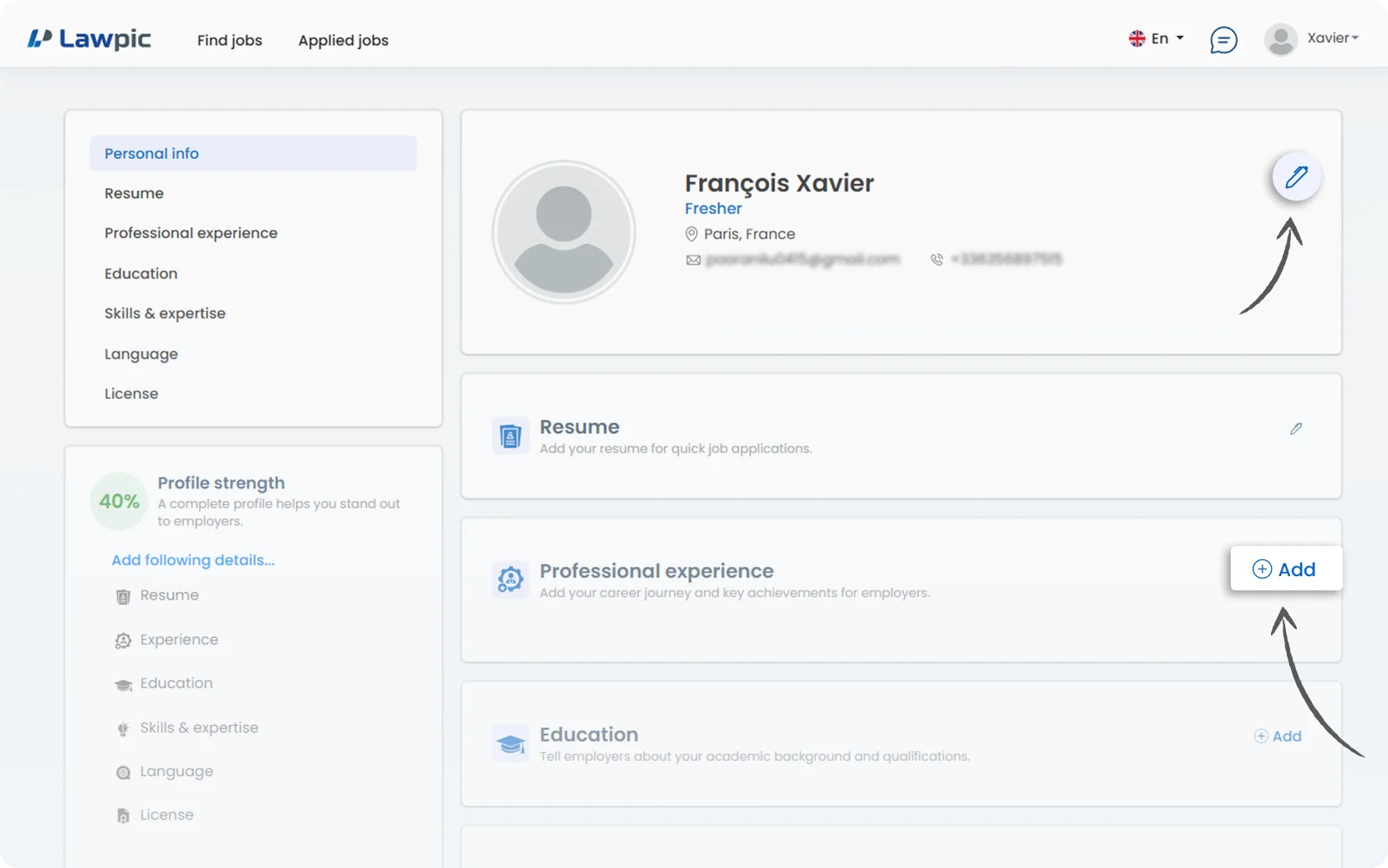
4. Use the "Add" button to add or update information.
5. After making modifications, be sure to "Save" the content.
1. Profile Strength reflects the completeness and depth of your profile on Lawpic, highlighting how thoroughly you've filled out key sections. A stronger profile increases your visibility to employers and showcases your qualifications more effectively.
2. A high profile strength means your profile contains comprehensive details across "key Areas" such as:
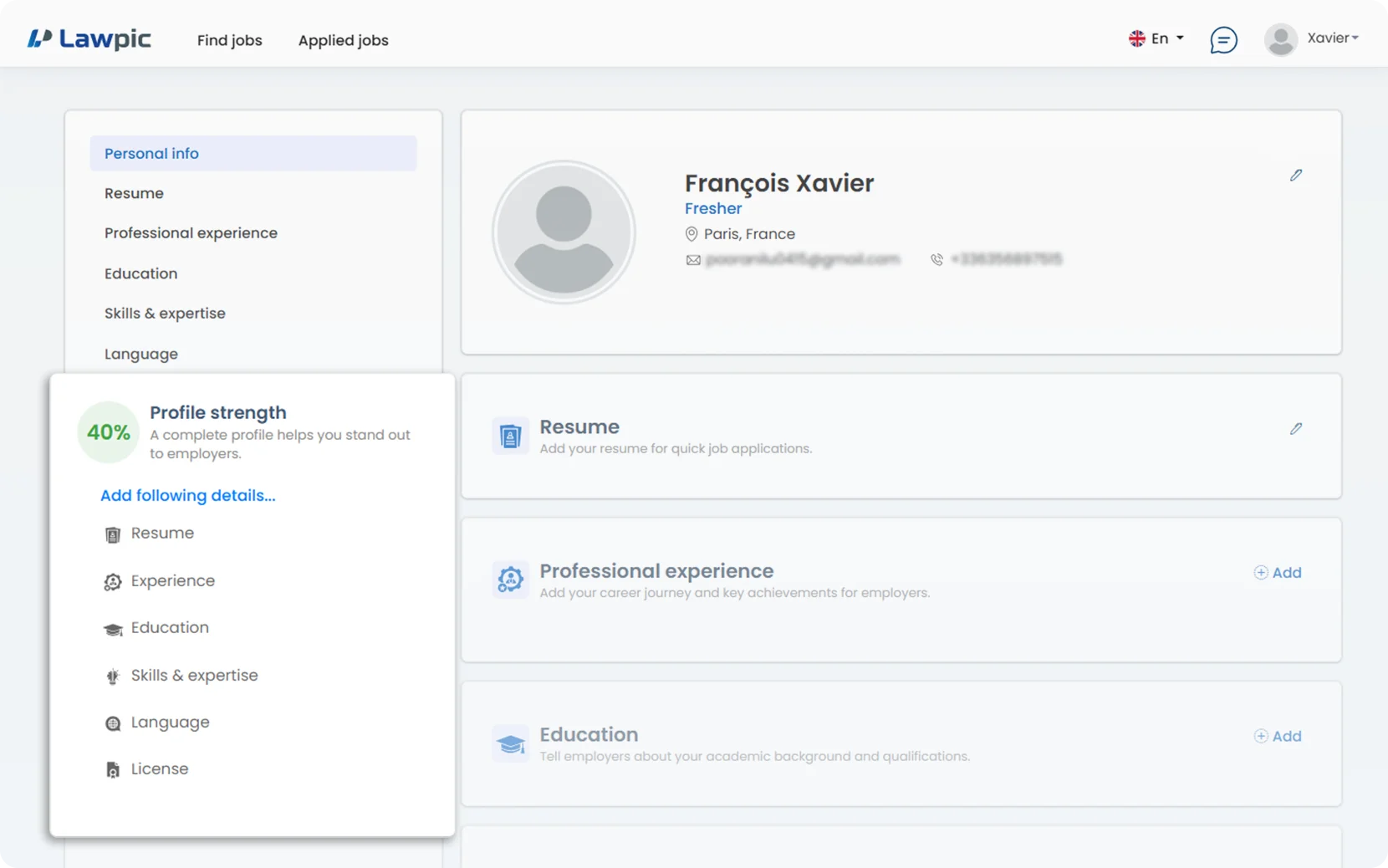
3. It’s a key factor in making your profile stand out and improving your visibility in employer searches.
4. Profile Strength is a measure of how complete and detailed your profile is. It’s important because:
1. Manage Your Profile Visibility